
Until now, if you wanted to generate a PayNow QR code, you would open our free online generator, use our Android app, or call our Developer API from your own code.
But a lot of work now happens inside an AI assistant. You’re drafting a quote for a client in Claude, or building a checkout page in Cursor, and the QR code is the one thing you still have to leave the chat to get.
So we built an MCP server for your AI to generate PayNow QR Codes as-needed. You just need to connect it once!
Connected using MCP
MCP (Model Context Protocol) is an open standard that Anthropic introduced in November 2024 for connecting AI assistants to outside tools. Claude, ChatGPT, Cursor and VS Code all support it, which is why one server works across all of them. The MCP site keeps a list of the apps that support it.
Our server gives your assistant one tool, generate_qr. It takes the same details as the API:
- Who gets paid: a UEN, a mobile number or a VPA. If you’re not sure which one to use, we explain the differences in our post on PayNow recipient formats.
- The amount, from $0.01 to $999,999.99.
- An optional reference, such as an invoice or order number, so you can match the payment when it lands.
- How long the QR code stays valid: 1, 2, 6, 12 or 24 hours, or no expiry. The default is 24 hours.
You don’t fill these in as a form. You just ask, and the assistant works out the details from your message.
What It Looks Like
All you need to do is tell your AI to create a PayNow QR:
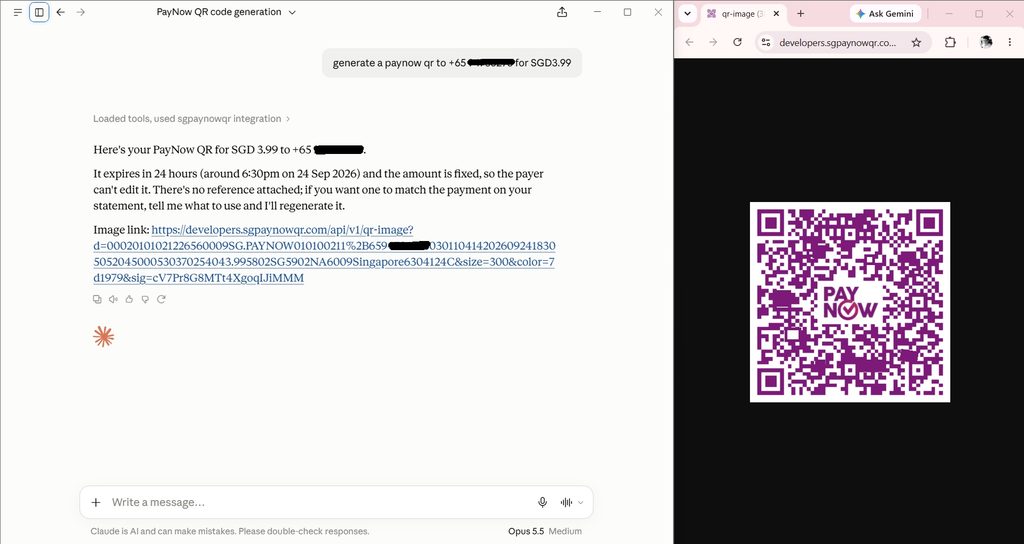
generate a paynow qr to +65 9XXX XXXX for SGD3.99
Claude calls our tool and replies with the amount, when the code expires and a link to the QR image. Click the link and the QR code opens in your browser, ready to save, print or send to your customer.
ChatGPT works the same way, with a link to open the image under the reply.
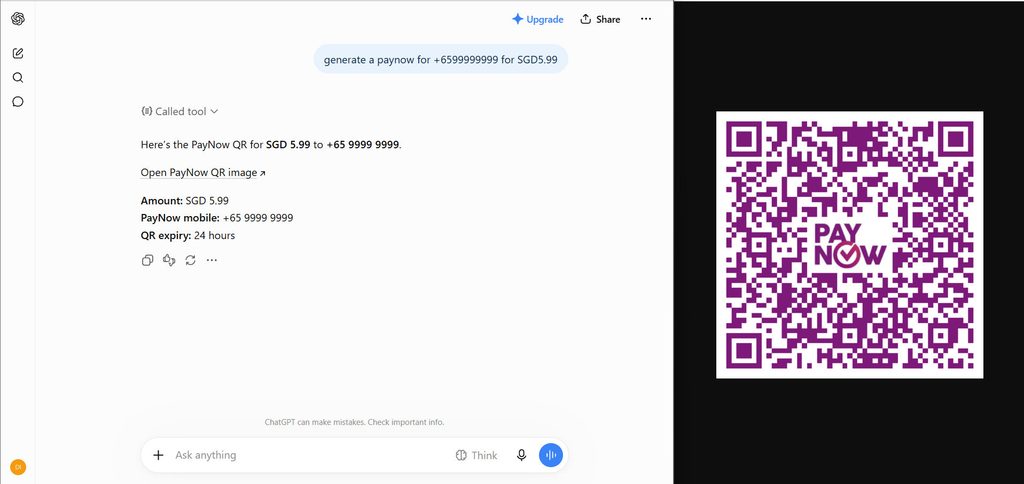
Every reply carries three things: the image link, the PNG itself, and the raw QR string for developers who want to put it into their own app. Some apps, claude.ai included, hide the PNG inside the collapsed tool call, so the link is how you get the image out.
Who It’s For
Freelancers who already work in Claude or ChatGPT. You’re writing a follow-up email to a client and need a payment QR code with the invoice number as the reference. Ask for it in the same chat, then attach it. For a proper invoice document, our PayNow invoice guide covers the free tools.
Developers building payment flows. In Cursor, VS Code or Claude Code, you can generate real test QR codes while you build a checkout or invoicing feature. Then scan them with your banking app to check that the name and amount come out right before any customer sees them.
Teams building AI agents. If your agent drafts payment requests, quotes or booking confirmations, it can now attach a working PayNow QR code instead of just typing out a UEN and hoping the customer copies it correctly. Getting that wrong is one of the PayNow mistakes that cost businesses money.
If you need dozens of QR codes at once from a spreadsheet, our Excel to PayNow tool is still the quicker way to do it.
Getting Started
- Create a free account at developers.sgpaynowqr.com/register.
- Create an API key on the API Keys page, then click Connect to AI.
- Pick your app. The setup steps for Claude, ChatGPT, Cursor, VS Code, Windsurf, Claude Code, Codex and Gemini CLI appear with your key already filled in. Cursor and VS Code get a one-click install button.
- Ask for a QR code in a new chat.
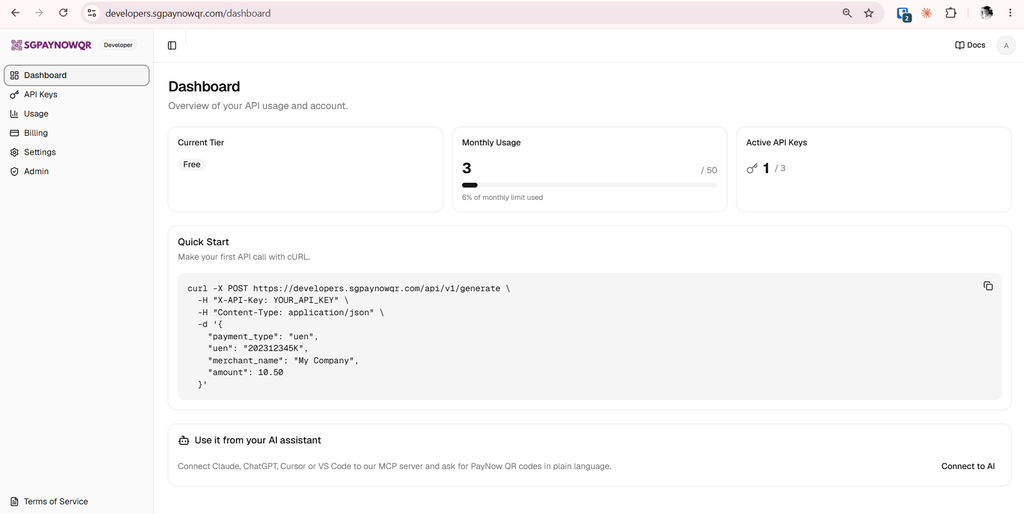
In Claude, you add it under Customize → Connectors as a custom connector, with your API key in the x-api-key request header. Anthropic’s connector docs note that Free plans can add one custom connector.
In ChatGPT, it goes in through developer mode, which is available on Plus, Pro, Business, Enterprise and Education plans on the web.
The full setup guide has every app’s steps and a troubleshooting section.
Pricing and Limits
It’s the same account and API key as our Developer API, so it shares the same monthly quota. The free tier covers 50 QR codes a month, and every QR code the assistant generates counts as one. Opening the image link again doesn’t.
Like all our tools, the server only creates the QR code. It never touches the money, which moves directly from your customer’s bank to yours. So you still confirm payment the usual way, by checking your bank notification.
And check what the assistant made before you send it. It reads the amount and recipient from your message, so a typo in the chat becomes a typo in the QR code. Our tool sends the amount and reference back with every QR code, so they’re right there in the reply to compare.