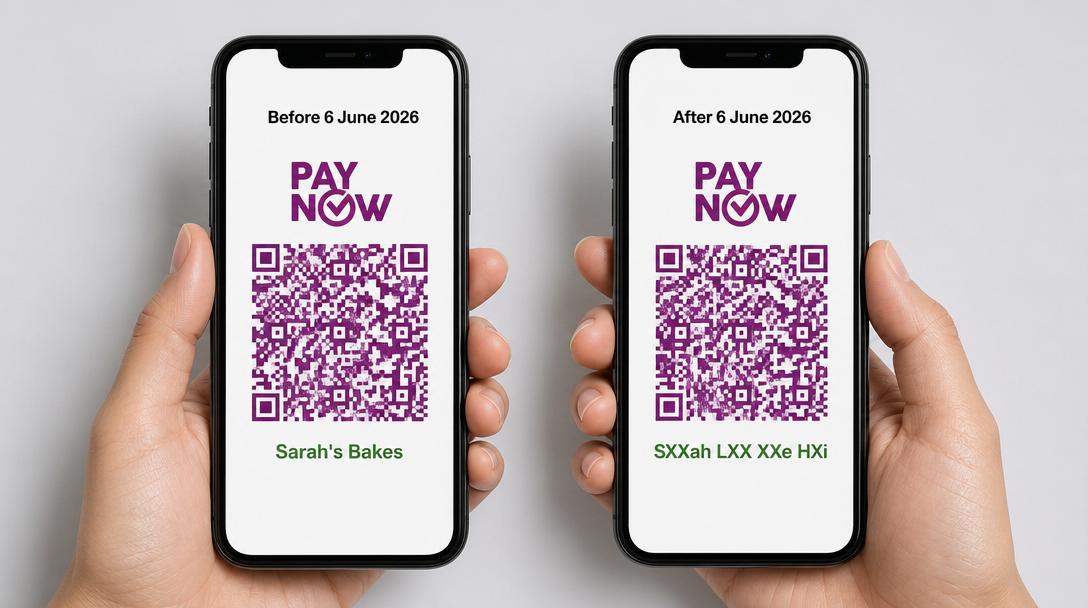
A recent announcement that affects sellers: Since 6 June 2026, the PayNow nickname feature has been discontinued.
The Association of Banks in Singapore (ABS) announced the change on 29 April 2026, and every seller transitioned automatically. No buttons to click, no settings to update.
If your PayNow is registered to a UEN (Unique Entity Number), you can stop reading here. Nothing has changed for you, and we’ll explain why below.
If your PayNow is registered to your mobile number or NRIC, this affects you.
What’s actually changing
Before this change, when you receive PayNow payments to your mobile number, the buyer saw one of two things on their screen before they confirm the transfer:
- The nickname you set (e.g. “Sarah’s Bakes”), if you set one
- Your full registered account name, if you didn’t (e.g. “Sarah Lim Sze Hui”)
Since 6 June 2026, both options no longer appear. Instead, payers see your registered account name with some of it covered by “X”. You don’t get to choose which letters show. The format is set centrally and applied across all retail PayNow accounts.
Here are the official examples ABS published:
| Registered account name | Nickname (current) | What payers will see from 6 June 2026 |
|---|---|---|
| Chan Shi Hui Jacqueline | Jacq | ChXX ShX HuX JacquXXXXX |
| Muhammad Hakeem bin Osman | Hakeem | MuhamXXX HakXXX biX OsmXX |
| Muthu Ramesh Murugan s/o P.Loganathan | hiMRM | MutXX RamXXX MuruXXX s/X P.LogXXXXXXX |
Source: ABS Media Release, 29 April 2026
So if you’ve been doing business as “Sarah’s Bakes” via PayNow on your mobile number, customers paying you in June will see something like “SXXah XXm SXX HXi” instead. It’s recognisable enough to confirm a payee in good faith, but won’t match the brand name your customers know.
Who’s not affected
If you fall into one of these groups, you are not affected:
UEN PayNow users. Businesses receiving PayNow via a UEN have never had access to the nickname feature in the first place. Your registered business name shows in full today, and it’ll continue to show in full from 6 June. ABS confirmed this explicitly in their FAQ. If you’re not sure what counts as a PayNow proxy, our guide to PayNow recipient formats walks through the differences.
Cross-border PayNow recipients. PayNow-DuitNow (Malaysia) and PayNow-PromptPay (Thailand) already mask payee names with “*” today, so there’s no functional change when receiving payments from overseas customers via these schemes.
You as a payer. When you pay your suppliers, contractors, or freelancers, your full account name still appears on their end. The masking only applies when you’re the one receiving money.
Who is affected

The change matters most if you’re:
- A home baker or home cook taking IG/WhatsApp orders
- A blogshop owner running off Instagram or TikTok
- A weekend market vendor at Boutiques Fair, Public Garden, or any pop-up
- A freelance tutor receiving fees from parents
- A freelance designer, photographer, copywriter, or coach billing clients direct
- A live seller on TikTok Live or IG Live taking PayNow at checkout
- A side-hustler who hasn’t bothered registering a business yet
In short: anyone whose PayNow is linked to a personal mobile number or NRIC, and who has been receiving payments under either a custom nickname or their full personal name. We’ve covered some of this ground before in Will Customers See My Full Name When Scanning My PayNow QR Code?.
Why ABS is doing this
The short answer: impersonation scams.
The nickname feature was introduced when PayNow launched in 2017 to address a privacy concern. People didn’t want their full legal names showing every time someone paid them via mobile number.
But over the years, scammers worked out that if they could open a PayNow account and set a nickname like “DBS Bank Verification” or “Singpost Customs”, they could trick victims into believing they were transferring to a legitimate organisation.
By removing the ability for retail users to set a custom nickname, ABS is closing that loophole. Going forward, the only thing payers will see is letters of the actual registered account name. You can’t pretend to be Singpost on PayNow if your account is registered to “Lim Ah Beng”.
If you want a sense of how impersonation plays out in practice, our deep-dives on 8 Dangerous PayNow Scams That Could Put You Out of Business and the condominium fraud case cover the playbook.
The friction this creates for small sellers
If you have been running a small shop and receiving payments under “Sarah’s Bakes”, it can cause some confusion with your buyers. Examples:
The IG blogshop scenario. A customer DMs an order on Sunday night. You send a PayNow QR or link via WhatsApp. Customer scans, sees “SXXah XXm SXX HXi” instead of the brand name they know, hesitates, messages you to confirm. Multiply that by hundreds of orders a month. Some customers won’t message at all and will just abandon.
The market stall scenario. Sunday afternoon at a craft market. Customer at your stall scans your QR, sees masked letters, pauses, asks “huh, is this you?” while a queue forms behind them. Brand recognition that took you months to build doesn’t show up at the most important moment.
The repeat-customer scenario. A tuition teacher quoted in The Straits Times put it well: she’s been using a PayNow alias known to her students and their parents, and she expects the change will confuse them. That’s a real cost when your customer relationships run for years.
None of this is fatal. But it’s enough to plan around.
What you can’t do
A few quick confirmations before we get to the practical fixes:
- You can’t keep your nickname. ABS is not running an opt-out programme. The change applies to all retail PayNow users.
- You can’t choose which letters of your name get masked. The masking logic is centralised and applied uniformly.
- You can’t pay extra to keep your nickname. There’s no premium tier.
Your registered name as held by your bank is the input. The output format is fixed. You have to work with it.
What you can actually do
Here are four practical options. Pick the one that fits your situation.
Option 1: Just inform your customers ahead of time
This is the cheapest fix and works for most personal-mobile sellers. Add one line to your IG bio, your WhatsApp business greeting, or your shop description. Something like:
Heads up: when you PayNow to us, you’ll see “SXXah XXm SXX HXi”. That’s me! Same QR, same number.
Takes ten minutes. Costs nothing. Solves the “is this really you?” problem for most returning customers.
Option 2: Register a UEN and switch to UEN PayNow
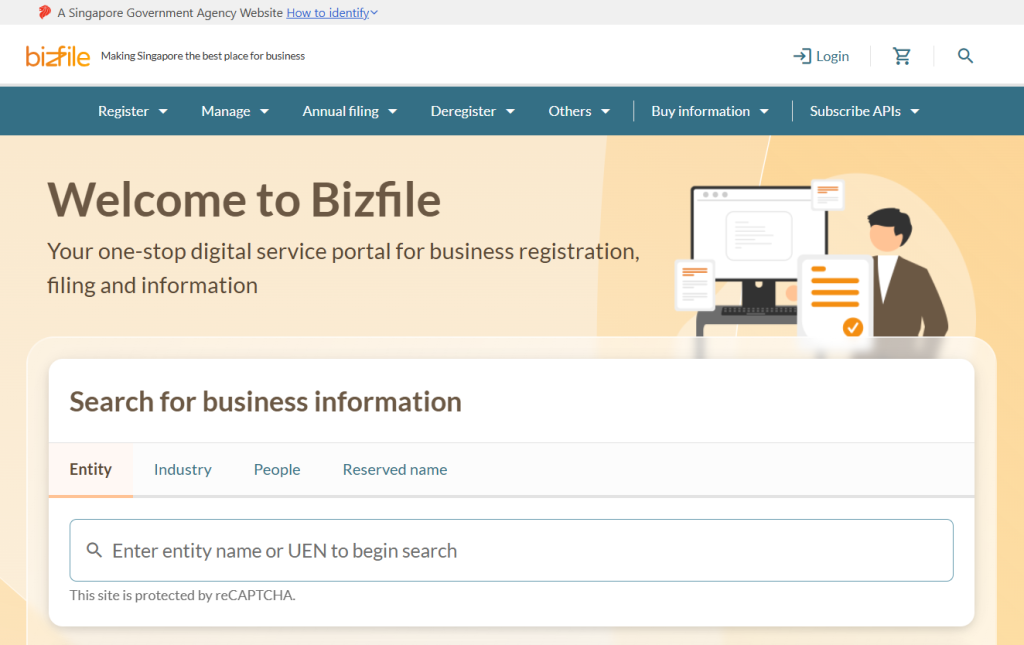
The cleanest long-term fix. UEN PayNow shows your full registered business name with no masking. If you’ve been thinking about formalising your side hustle anyway, this is a good push.
For most solo operators, registering a sole proprietorship via BizFile+ is straightforward. You then update your PayNow registration to use the UEN as the proxy, and from that point on, customers see your business name in full. We’ve written a full walkthrough at PayNow UEN QR Code: What It Is, Why It Matters, And How To Get One.
There are downstream benefits beyond the masking issue: easier to open a business bank account, cleaner accounting, more credibility with B2B clients.
Option 3: Reduce ambiguity at the payment moment
If you’re not ready to register a UEN yet, you can still cut down on customer confusion by being explicit about the payee at the moment of payment.
A clear invoice that says “Pay to: Sarah Lim (trading as Sarah’s Bakes), PayNow mobile +65 9XXX XXXX” tells the customer exactly who they’re paying before they ever scan. The same applies to WhatsApp payment links: if you wrap the link with a short message naming yourself and your business, the masked PayNow name becomes a verification step rather than a “wait what” moment.
This is also where our toolkit can help if you’re already an SGPayNowQR user. The PayNow invoice generator and WhatsApp PayNow link tool let you put your business name into the surrounding context, so the masked legal name reads as recognisable rather than mysterious. Not the only way to do this, but it’s a low-friction way if you’re not building your own checkout.
Option 4: For online sellers, go direct via WooCommerce
If you’re selling online and the IG/WhatsApp DM payment workflow has been getting tedious anyway, this change is one more reason to consider a proper checkout. With PayNow on WooCommerce, the customer pays from your branded checkout page where your business name is already top of mind. The masked PayNow name shows up at the bank app verification stage, but by then the customer has already accepted the order from “Sarah’s Bakes” and the masked name reads as “yes, that’s the seller I just ordered from”.